
Desk power should put the connections you use within reach without turning the work surface into a collection of adapters. USB labels alone do not establish what a device can charge.
We compare surface-mounted modules, cut-in openings and a simple accessible power arrangement, distinguishing convenience from the electrical specification.
List the connections you need
Separate mains power, USB charging, data and display connections. A USB-C-shaped port does not guarantee a particular charging capability or data function. Check the requirements of the laptop and accessories, including the cable. Decide which connections are used every day and which can stay below the desk.
A modular desktop unit
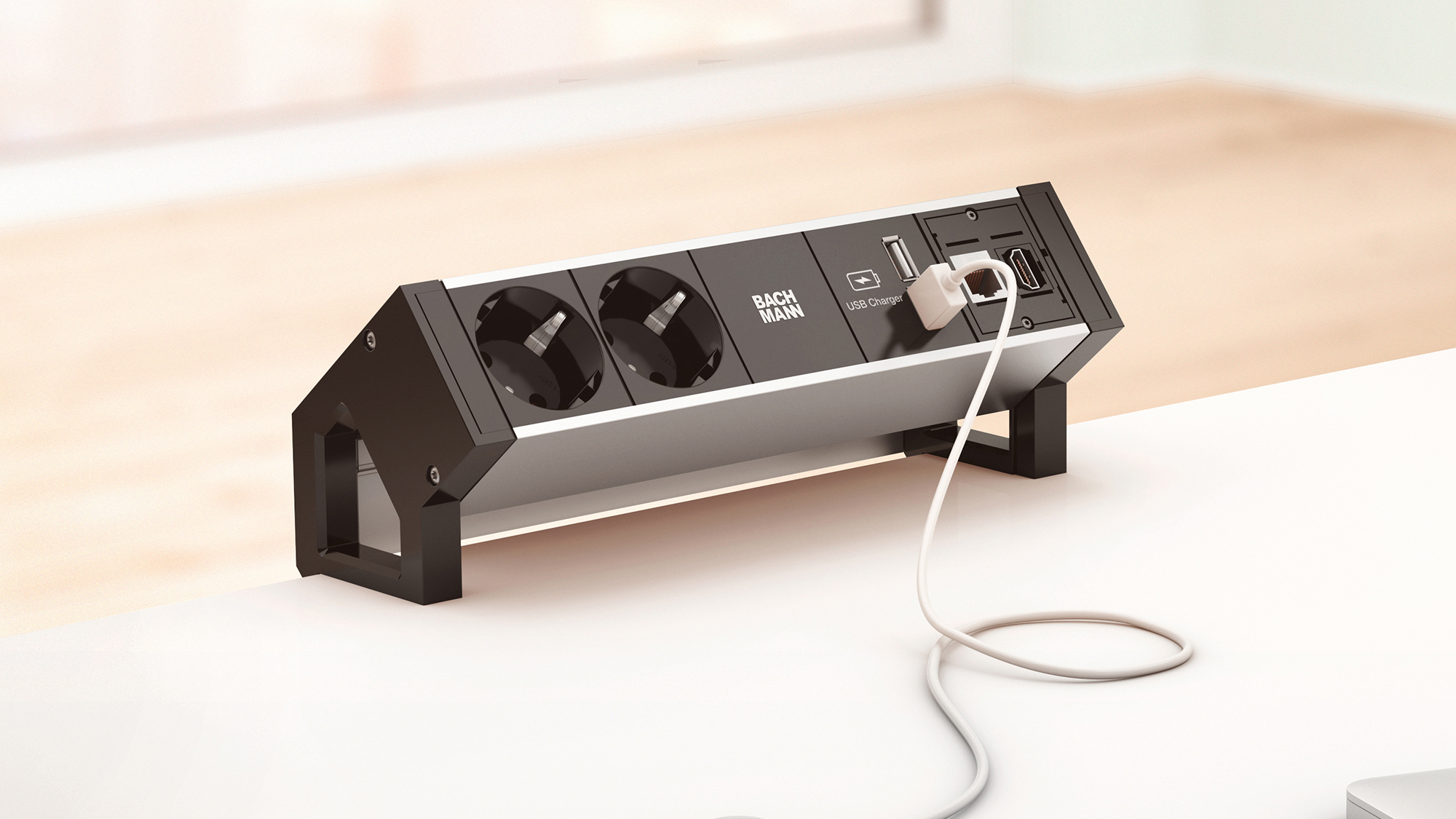
BACHMANN DESK 2 is an example of a configurable connection-unit family. The pictured product is a family illustration; socket formats and module combinations vary by market. Choose a version approved and suitable for your local electrical installation. Do not order a foreign socket arrangement merely because its finish matches the desk.
Clamp-on or built-in?
A clamp-on unit can avoid cutting the top if the desk and clamp are compatible. A recessed module needs a correctly sized opening and suitable material around it. Check clearance below for drawers, frames and knees. Do not drill a hole before confirming the exact module, required edge distances and installation instructions.
Allow for the plugs
Large adapters can obstruct neighboring sockets or project into a useful work area. Check the loaded layout, not just the empty module dimensions. Keep liquids away and follow the product’s operating and mounting instructions. Some configurations require separately specified supply components; a product photo does not establish that the complete connection system is included.
Keep below-desk routing accessible
A tidy opening should protect cables from sharp edges and allow the required connectors through. Separate strain relief from ordinary bundling and leave appropriate movement for adjustable desks. Do not chain power strips, improvise mains wiring or hide damaged equipment. Fixed electrical alterations need the appropriate qualified work for the location.
Avoid paying for unused functions
A properly selected, accessible power strip and a suitable cable route may solve a modest setup. Compare charger output, certifications, supply components and installation needs before choosing a more elaborate module. A small port list on the specification can matter more than the cabinet finish. Which connection do you reach for most often during a normal workday?
Specify the actual module and regional version
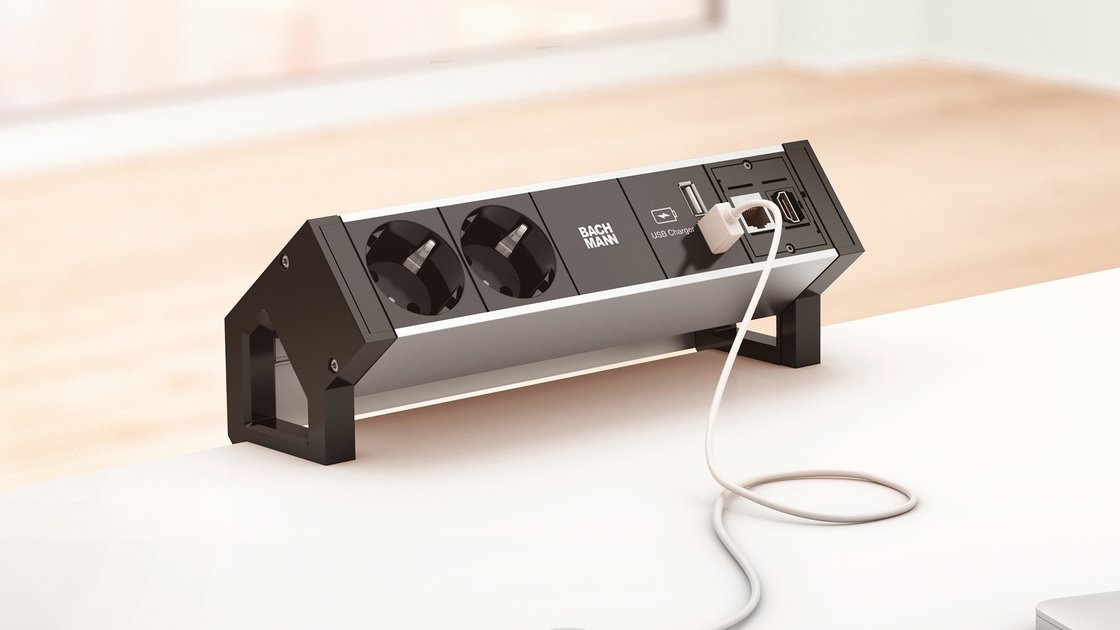
BACHMANN DESK 2 ALU BLACK ↗ is a configurable surface-mounted connection unit. Its range includes different socket and USB module arrangements; do not transfer a charging output or plug format from one item number to another. The linked regional page illustrates the construction, so select a version approved and appropriate for the installation country.
A clamp-mounted or otherwise appropriately secured power strip can be a simpler alternative when custom modules are unnecessary. A cable grommet is only an opening, not an electrical supply. Include space below the top for plugs and adapters, access to disconnect them, and the route as a desk moves. Compare complete components and installation cost before cutting the furniture.
The linked products are examples of different approaches. Similar solutions can be found from other manufacturers and stores. Compare the exact model, supplied components and installation requirements. Product photographs are credited to their source. This article describes functions and planning considerations, rather than a hands-on test.