
A tidy desk can still hide a tangled pile of cables at floor level. Bundling everything tightly may improve the photograph while making the next equipment change harder. Good cable management preserves access and allows the desk to move as intended.
Map devices before buying organizers
List power, display, data and charging connections. Notice which devices remain permanently connected and which leave with you. Locate outlets and trace the route to each item. A cable that is just long enough while seated may be pulled tight when a height-adjustable desk rises. Keep the original equipment and power ratings in mind.
A tray creates a defined route
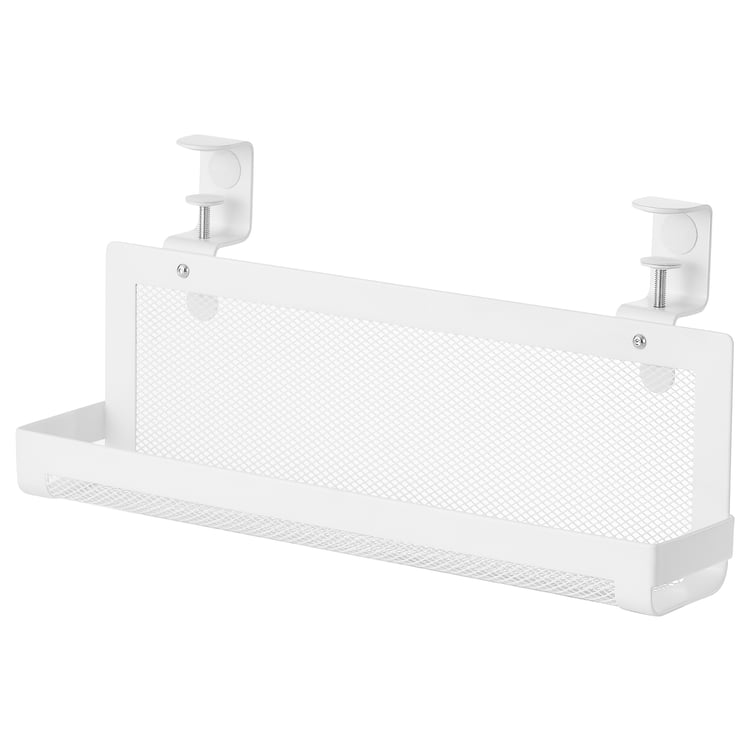
IKEA FÖRSÄSONG is one example of an under-desk cable tray. Check the exact product’s clamp requirements, load and tabletop compatibility. Thin, hollow or glass tops may need a different solution; do not assume a clamp suits every surface. A tray collects equipment but does not remove ventilation requirements for chargers and power supplies.
Leave useful slack
Allow movement for the desk, monitor arm and devices without leaving a large loop across the floor. Check the full travel slowly after installation. Keep cables clear of hinges, lifting mechanisms and sharp edges. Do not suspend a heavy power brick by its lead or let a connector carry the weight of a bundle.
Use labels and reusable ties
Mark connections at both ends where similar leads are easy to confuse. Reusable ties make changes simpler than a permanently compressed bundle. Avoid tightening around cables so forcefully that jackets deform. Group routes so one temporary laptop cable can be removed without dismantling the whole desk. Keep access to the wall plug or other intended disconnect point.
Power needs its own checks
Use properly rated power equipment intended for the local supply and devices. Do not chain power strips or treat a cable box as permission to hide overloaded or damaged equipment. Follow ventilation and mounting instructions. A cable opening with a brush or grommet can protect an edge, but its size must allow connectors to pass without force.
Test a real change
Unplug one device, replace it and raise or lower the desk if applicable. If the process requires crawling through an inaccessible bundle, revise the route. A few clips and ties may be enough for a small setup; compare lower-cost trays by mounting and usable dimensions. Which problem is most disruptive: floor clutter, short leads or replacing a device?
Sources and product information
IKEA — FÖRSÄSONG cable management tray
Product information checked October 17, 2026. Check current documentation for the exact model, permitted installation, loads and compatibility. Product photos illustrate the named item; other arrangements discussed may require different products. Prices and availability vary by market.